Frequently asked questions Pinned

Can I see a list of my activities and posts in the Community?
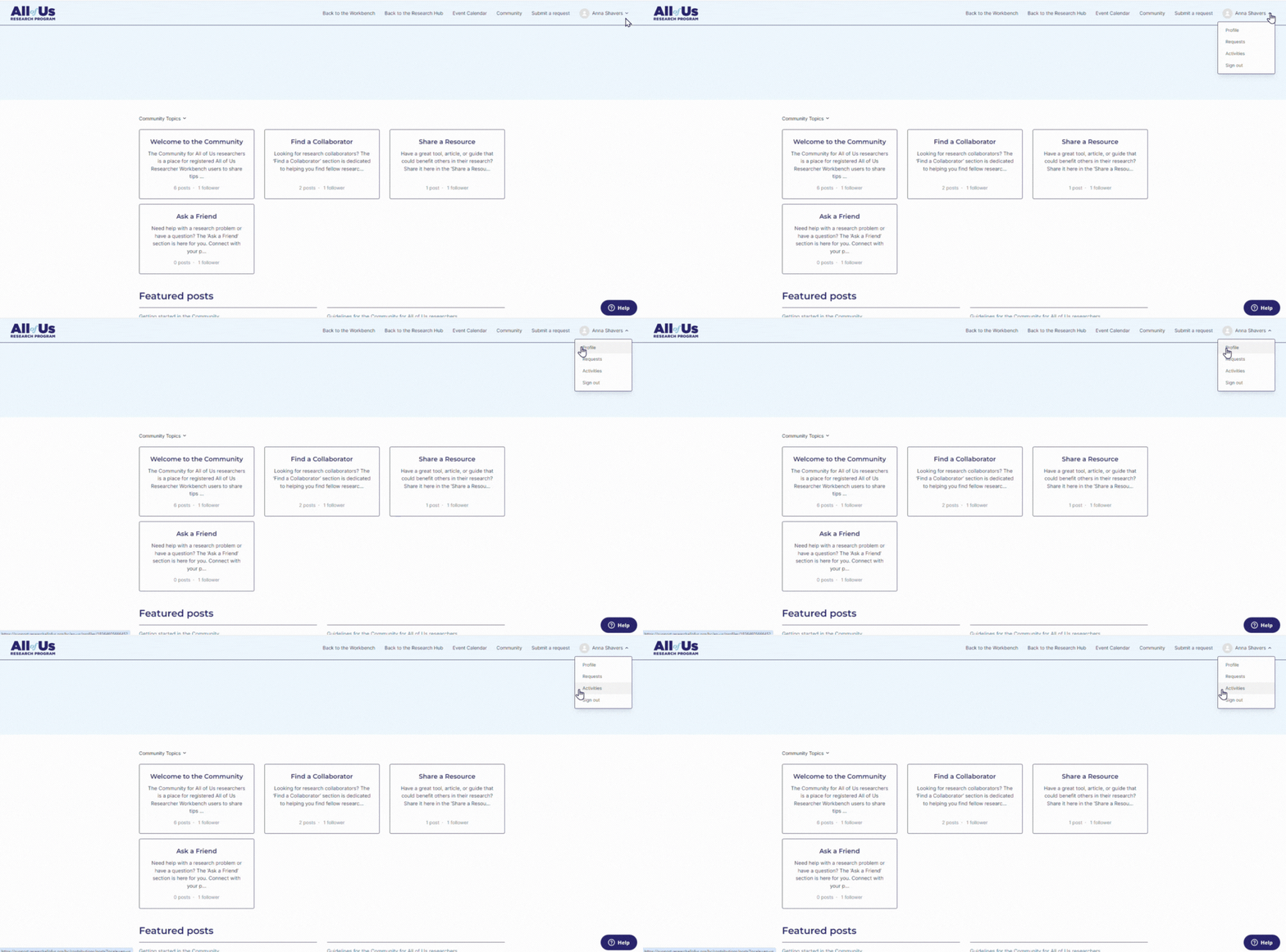
Yes, you are able to see your activity and posts in the Community by visiting your User Support Hub profile.
- Click your name at the top right corner of the User Support Hub.
- Click ‘Activities’ on the dropdown that appears after clicking your name.
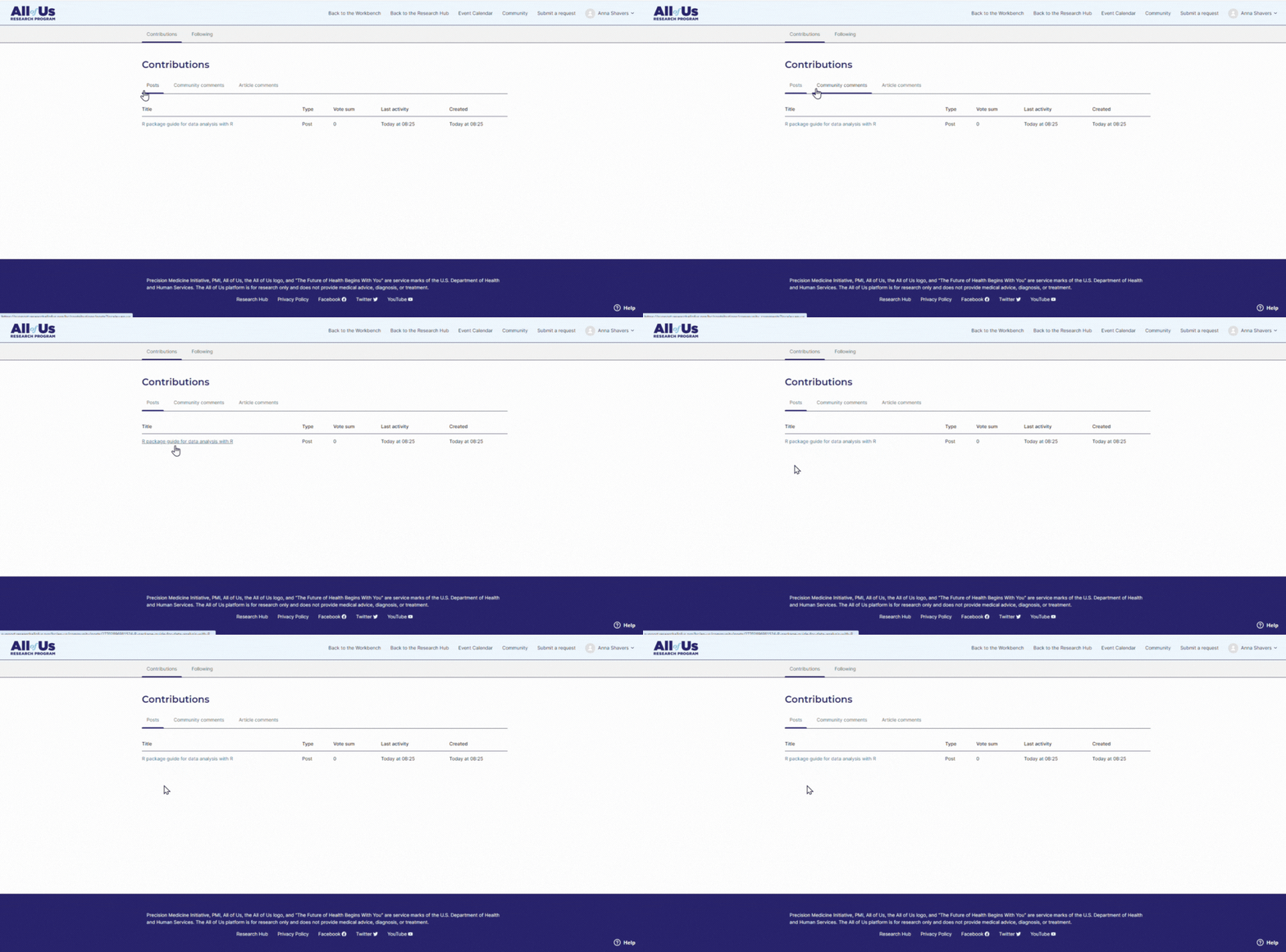
- Under ‘Contributions,’ you can see all the posts you created in the Community as well as comments you left on posts in the Community and on official User Support Hub articles.
Can I edit or delete posts I make in the community?
Yes, you are able to edit or delete any post you make in the Community.
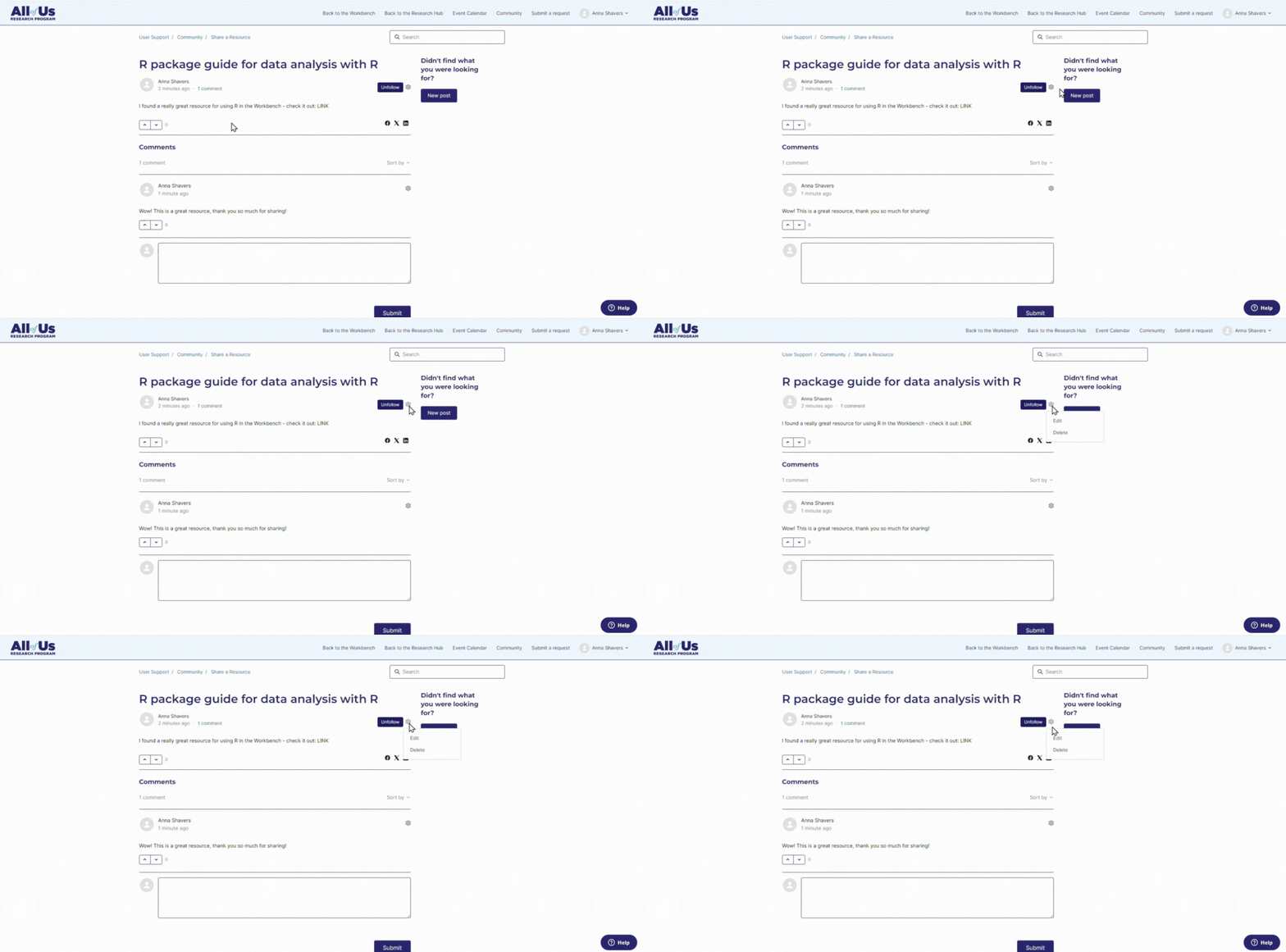
- Find the post you want to edit or delete.
- Click the small gear beside the blue ‘Unfollow’ button.
-
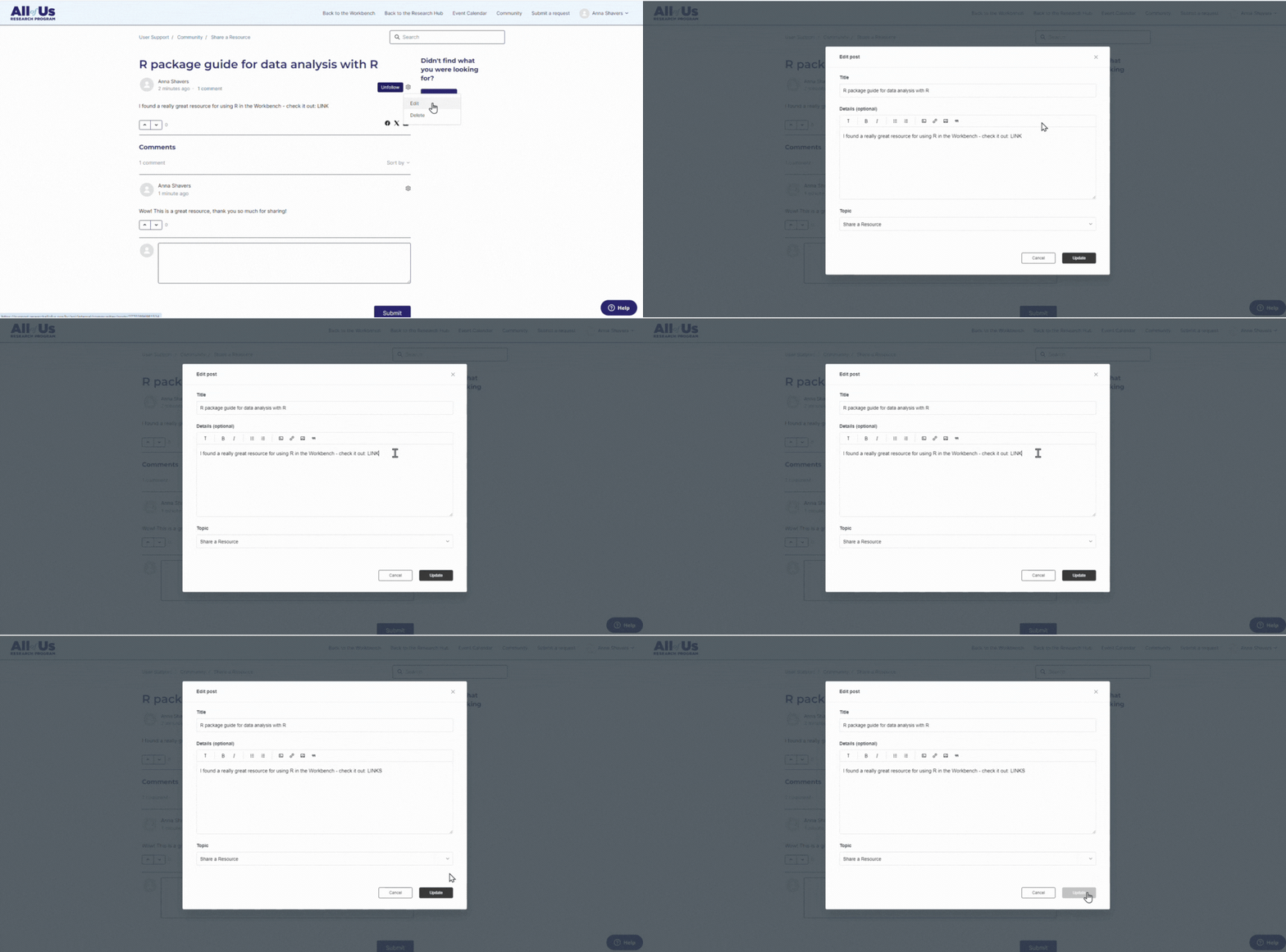
To edit: Click ‘Edit,’ make your changes, and then click ‘Update.’
To delete: Click ‘Delete’ and then ‘Ok’ to confirm. Note: Deleted posts are not recoverable.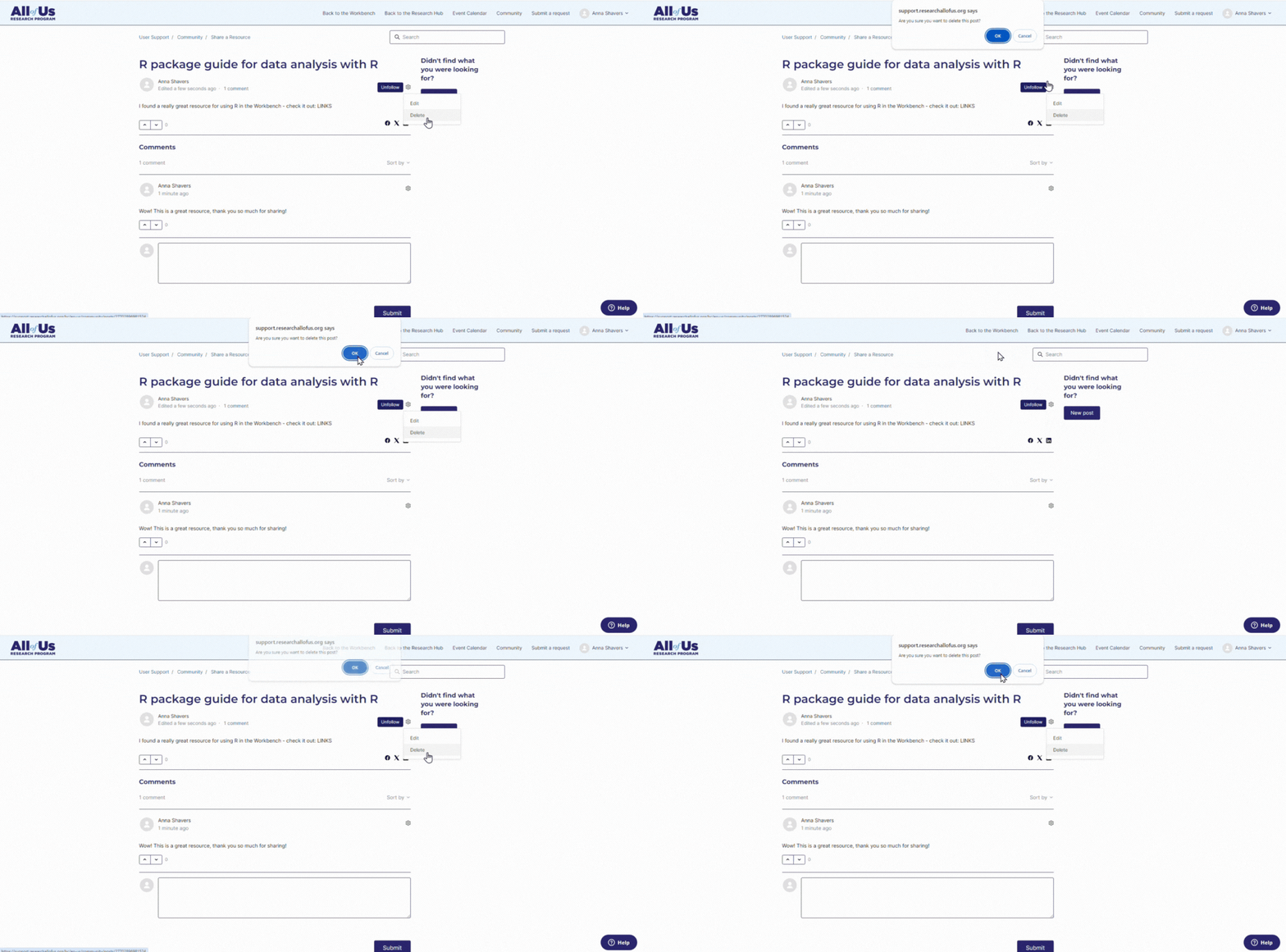
What are pinned posts?
Pinned posts are only available to the All of Us support team to bring important posts to the top of a topic (i.e., Find a Collaborator, Ask the Community, etc.). Pinned posts always appear at the top of the topic.
What are featured posts?
Featured posts are only available to the All of Us support team to bring important posts to the featured section of the Community landing page. Featured posts always appear in the ‘Featured posts’ section in the Community.
Comments
0 comments
Please sign in to leave a comment.